
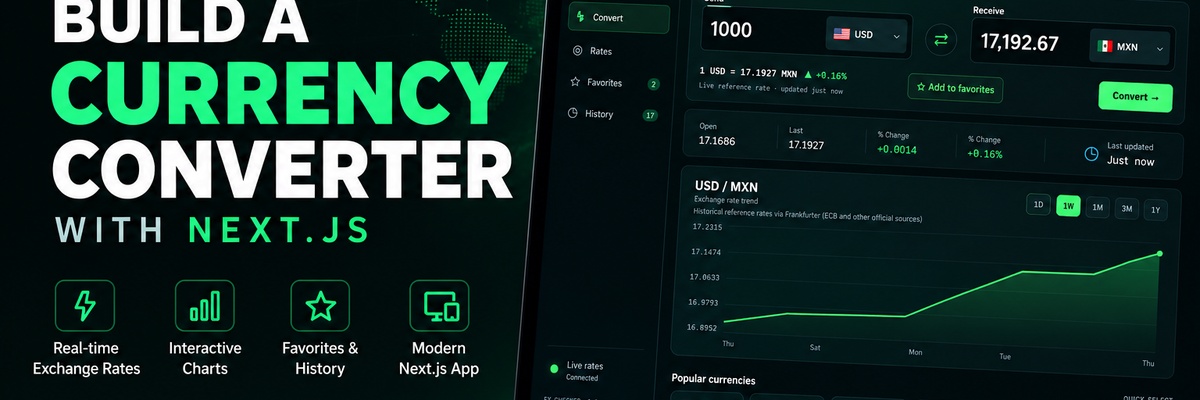
Build FX_CHECKER: A Currency Converter with Next.js
Build a practical Next.js currency converter with reusable React components, live exchange-rate data, a real historical chart, favorites, history, and responsive dashboard navigation.
Build a practical currency-converter application with Next.js by working through the project in small implementation steps. The course uses the existing FX_CHECKER interface as the visual starting point and progressively turns the prepared project into a complete application.

Prerequisites
You should be comfortable with JavaScript fundamentals, modern React concepts such as components and state, and basic command-line usage.
You will need Node.js installed locally.
Why this course?
This is a project-based course. Each lesson focuses on one meaningful implementation change, explains only the concepts needed for that change, and ends with a checkpoint so you can verify the result before continuing.
What the course covers
The course progresses from the project foundation through the converter workflow, real exchange-rate data, historical data visualization, browser persistence, responsive dashboard behavior, and final end-to-end testing.
The lesson sequence is based on the actual project architecture and its implementation dependencies rather than a generic Next.js tutorial.
What you will finish with
By the end of the course, you will have a complete FX_CHECKER Next.js application with:
- currency conversion using live exchange-rate data
- historical reference-rate visualization
- reusable React components and App Router pages
- Favorites and conversion History persistence
- Rates, Convert, Favorites, and History views
- responsive dashboard navigation and converter layout
Course structure
The course is organized into five implementation-focused modules. Start with the first module and use each lesson checkpoint to confirm the project is ready for the next step.