
Build a Kanban Task Manager with Vanilla JavaScript
Build a practical Kanban task manager by adding real application behavior with Vanilla JavaScript.
Build a small, complete Kanban task manager with HTML, CSS, and Vanilla JavaScript.
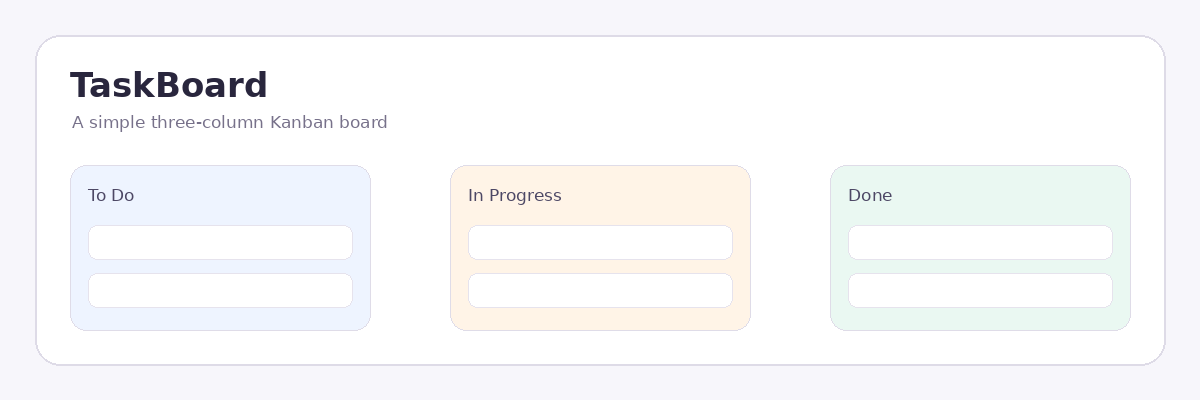
The project uses a simple three-stage workflow: To Do, In Progress, and Done. You will turn that board into an application that can create tasks, remove them, move them between stages, and remember the board after a refresh.
The project is deliberately small. That keeps the focus on the JavaScript decisions that make a browser interface interactive: storing application data, rendering that data, responding to events, and keeping the UI synchronized.
Why this project?
A Kanban board gives you several useful JavaScript problems inside one manageable project.
You will work with an array of objects as application state. You will turn that state into DOM elements, respond to user actions, update the state when something changes, and persist the result in the browser.
The finished application follows a simple pattern:
user action → state change → UI update
When persistence is involved, the flow also includes:
state change → save
Prerequisites
You should already know the basics of:
- HTML structure
- CSS classes and layout
- JavaScript variables and objects
- Arrays
- Functions
- DOM selection
- Event listeners
This course focuses on building the project rather than teaching JavaScript fundamentals from scratch.
How the lessons work
The course is organized as a guided implementation.
Each implementation lesson focuses on one meaningful change. You will work in a specific file or section, make the change, test it in the browser, and then continue.
Larger features are broken into smaller stages. Instead of receiving a finished application function and being told to paste it, you will build the function as its responsibilities are introduced.
Every implementation step ends with a concrete browser or console checkpoint.
What you will have at the end
You will have a working Kanban task manager that can:
- display tasks in three workflow columns
- create new tasks
- delete tasks
- move tasks with drag-and-drop
- highlight the current drop destination
- keep column counts synchronized with the task data
- restore saved tasks after a page refresh
The project is intentionally compact so you can understand the complete path from user interaction to application state and back to the UI.