
Run the Starter Project
Run the Starter Project
Now open the prepared application in your browser and make sure the starting interface works before continuing.
1. Start a Local Preview
Open the project with your usual local development server.
For example, if you use VS Code with Live Server, open index.html and start Live Server.
You can also use any other local server you normally use for a static HTML project.
2. Open the Application
Visit the local URL provided by your development server.
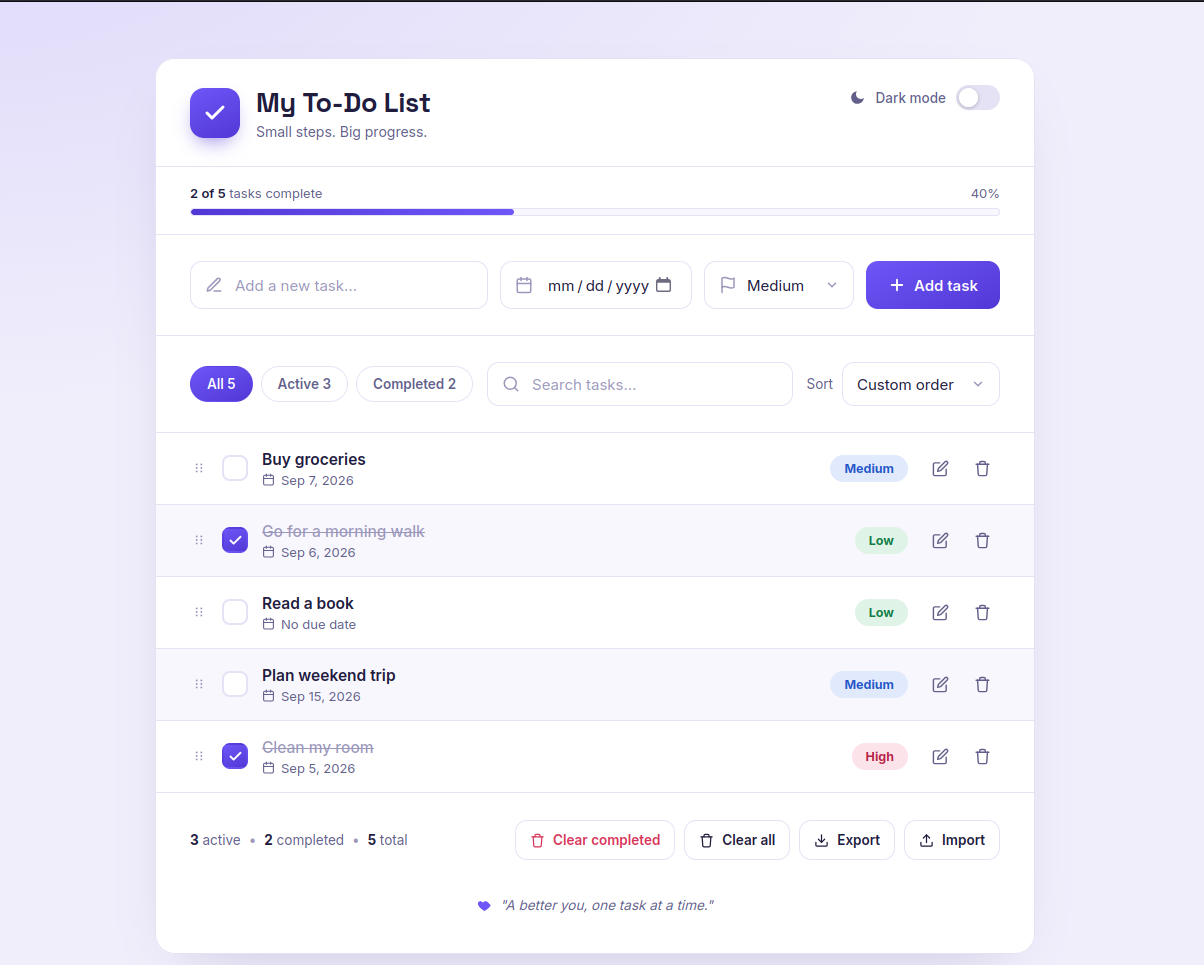
You should see the prepared To-Do List interface with the visual design already in place.
The page should include the main header, task controls, filters, search, task area, action buttons, and the prepared responsive layout.
A reference preview is included here:
3. Check the Browser Console
Open the browser developer tools and check the Console.
Make sure there are no errors preventing the application from loading.
The starter project is intentionally the visual starting point. The functionality will be added in the following modules.
Checkpoint
Your browser should display the prepared To-Do List interface without errors.
If the page is working, you are ready to start building the application functionality in Module 2.