
Intro
Final Capstone Project
This is the final stage of your Python learning journey.
In this module, you will build a complete application from start to finish using everything you have learned so far.
Unlike previous modules, this is not about learning new isolated concepts.
This is about combining skills into a real, structured, working system.
Project: Personal Productivity System
You will build a desktop application that helps a user manage daily productivity.
The application will include:
- user accounts (login system)
- task management
- expense tracking
- summary dashboard
- database storage
- graphical user interface
This is similar to real-world tools used for task planning and personal finance.
What You Will Use
You will apply concepts from across the course:
- Python fundamentals
- Functions and modules
- Object-Oriented Programming (OOP)
- File and data handling concepts
- Error handling
- Testing (pytest or unittest)
- SQLite database
- Tkinter or PyQt GUI
User Stories
These user stories define what your application should do from the user’s perspective.
User Account
- As a user, I want to register an account so that my data is saved
- As a user, I want to log in so that I can access my tasks and expenses
Task Management
- As a user, I want to add tasks so that I can track my work
- As a user, I want to mark tasks as complete so that I know what is done
- As a user, I want to delete tasks so that I can remove irrelevant items
Expense Tracking
- As a user, I want to record expenses so that I can track my spending
- As a user, I want to categorize expenses so that I understand where my money goes
Dashboard
- As a user, I want to see a summary of my tasks so that I understand my productivity
- As a user, I want to see total expenses so that I can manage my budget
How This Module Works
This module is step-by-step and build-focused.
You will not jump directly into the final app.
Instead, you will build it in layers:
- Project setup
- Database setup
- Backend logic
- Feature development
- GUI integration
- Testing
- Refactoring
- Final polish
Each step builds on the previous one.
Project Structure
You will organize your code like a real project:
productivity_app/
    app/
        models/
        services/
        ui/
    tests/
    main.py
Development Approach
To avoid confusion and bugs, follow this order:
- Build database first
- Build backend logic (no GUI yet)
- Test logic using simple prints
- Add GUI after logic works
- Add automated tests
- Refactor and clean code
What You Will Build
By the end of this module, your app will:
- allow users to register and log in
- store data in a database
- manage tasks (add, delete, complete)
- track expenses
- display summaries
- run as a desktop application
Preview
Here is what the finished application looks like.
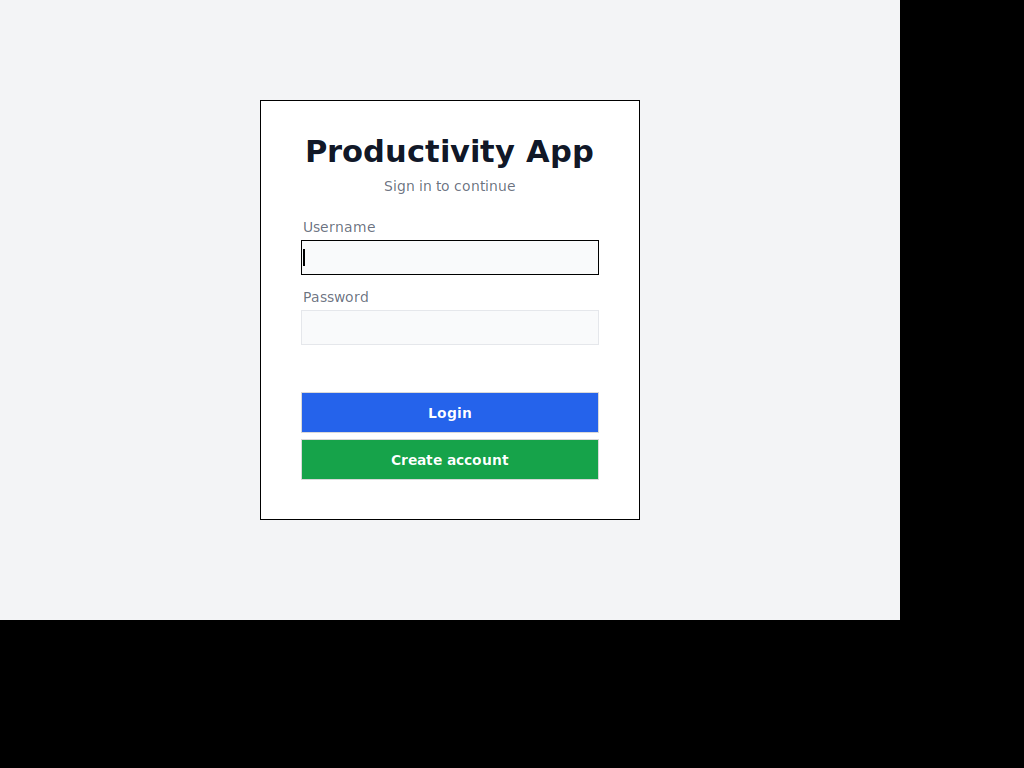
Login Screen
The entry point — a centered card with username and password fields, plus a separate button to create a new account.
Dashboard
After login, users see the main dashboard. The header bar shows a welcome message and a logout button. Three colored stat cards display total tasks, completed tasks, and total expenses — these update automatically as data changes. Below them, the Tasks and Expenses panels sit side by side, each with their own input area, list, and action buttons.
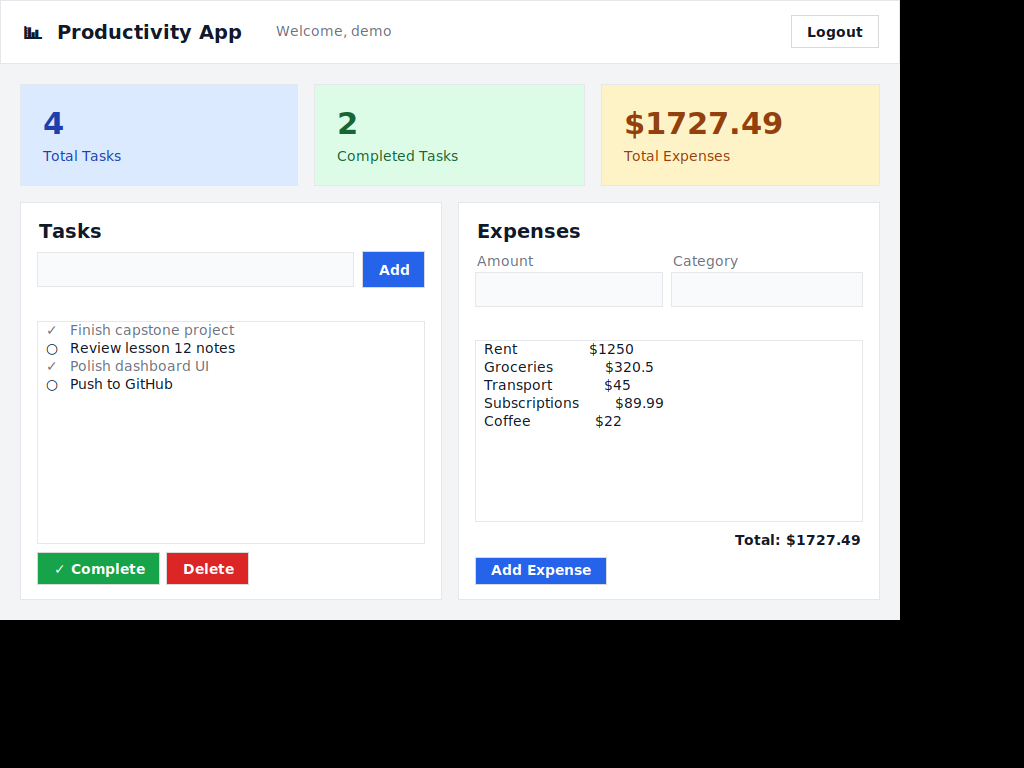
This is the target for the module. You will build it from an empty folder over the next set of lessons.
Minimum Requirements
To complete this capstone, your app must include:
- working login system
- task management system
- expense tracking system
- SQLite database
- GUI interface
- basic tests
Optional Enhancements
After completing the core features, you can extend your app:
- edit tasks
- search/filter
- charts or summaries
- improved UI styling
- switch to SQLAlchemy
- add more tests
What This Proves
Completing this project demonstrates that you can:
- design and structure real applications
- work with databases
- build user interfaces
- organize code into modules
- write testable code
- solve real-world problems with Python
Mindset for This Module
This module is different.
You will:
- think more
- debug more
- design more
- make decisions
That is exactly what real development looks like.
Assignment
Complete the full capstone project step-by-step.
Summary
This module brings together everything you have learned into one complete, real-world Python application.