
Designing the My To-Read Books Application
Designing the My To-Read Books Application
Before building the backend, you need a clear understanding of what you are building.
In this lesson, you will explore the full application interface and how each page works.
This will help you focus on logic and implementation in the next lesson.
What You Will Build
You will build a My To-Read Books application.
This is a personal tool where users can:
- Add books they want to read
- View details about a book
- Edit book information
- Delete books
This is a complete CRUD (Create, Read, Update, Delete) application.
Important Note
The user interface (UI) has already been designed for you.
You are not expected to design it.
Your task is to:
- Understand how it works
- Connect it to Flask
- Make it functional using a database
Application Overview
The application has four main pages:
- Book list
- Book detail
- Add book
- Edit book
1. Book List Page
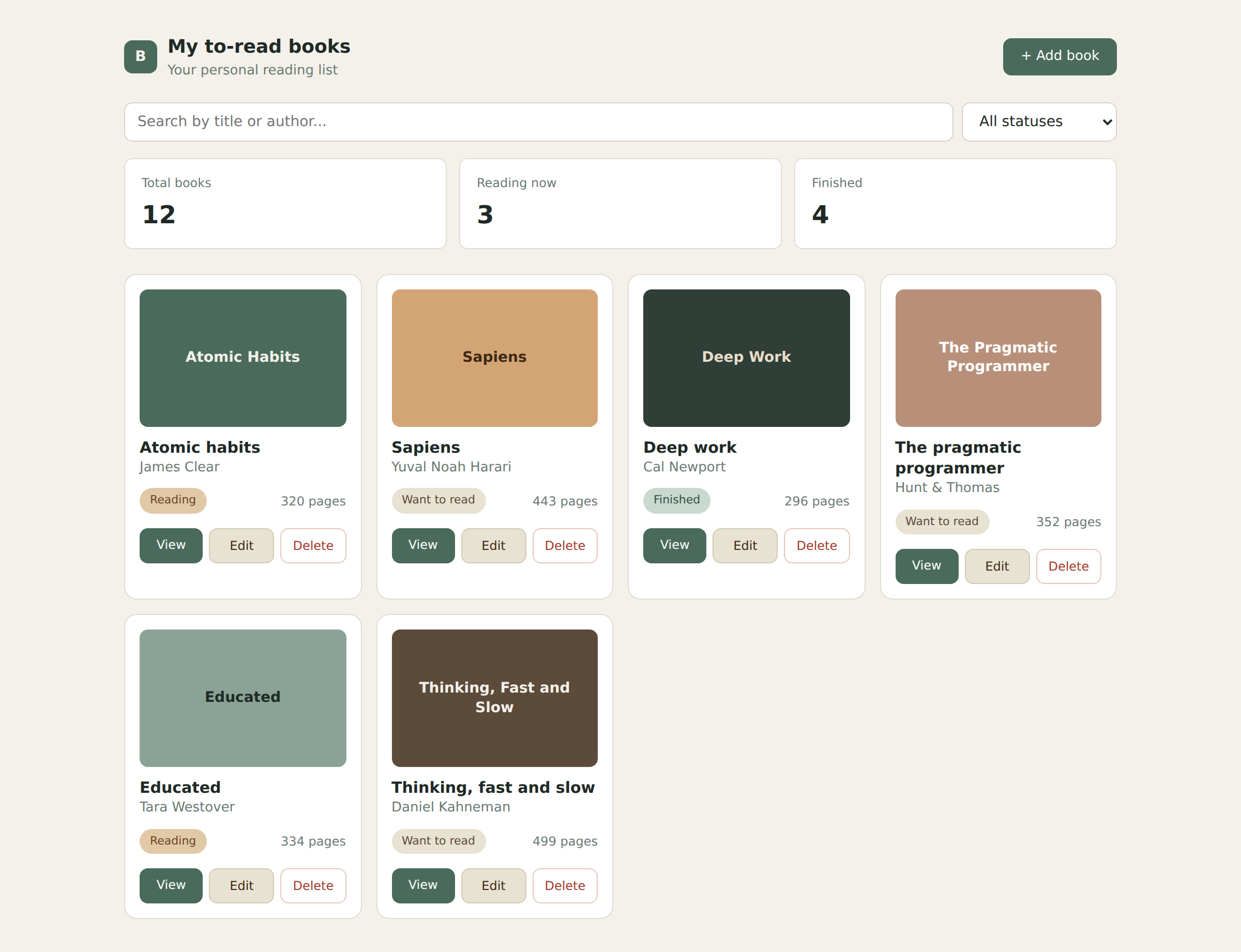
Purpose
- Display all books
- Provide quick actions
Key Elements
- Top navigation bar
- Add Book button
- Search and filter inputs
- Summary statistics
- Grid of book cards
Each book card displays:
- Title
- Author
- Reading status
- Number of pages
Actions
Each book includes:
- View
- Edit
- Delete
2. Book Detail Page
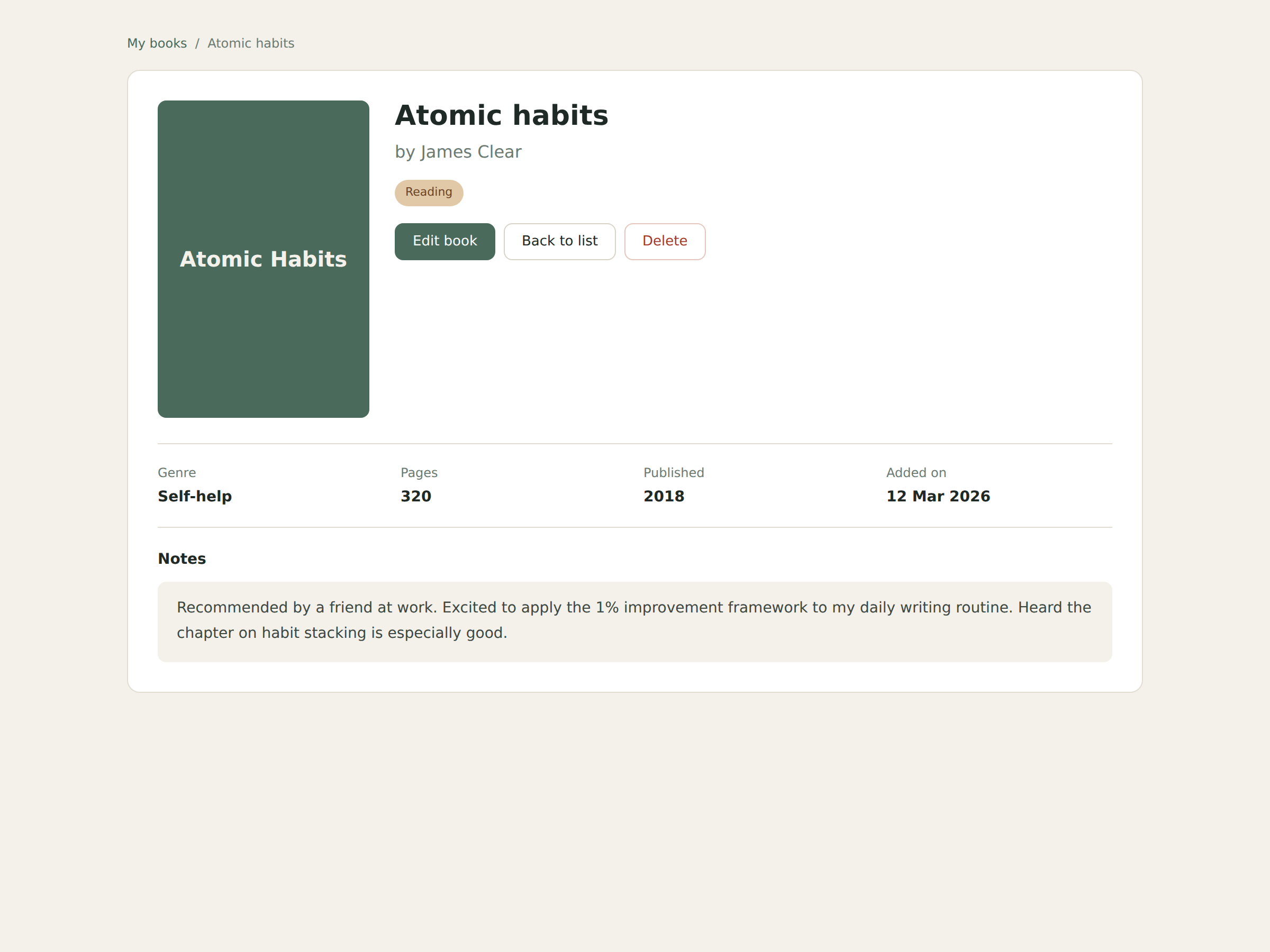
Purpose
- Show detailed information about a single book
Key Elements
- Book title and author
- Reading status badge
- Metadata (genre, pages, year, date added)
- Notes section
Actions
- Edit book
- Delete book
- Back to list
3. Add Book Page
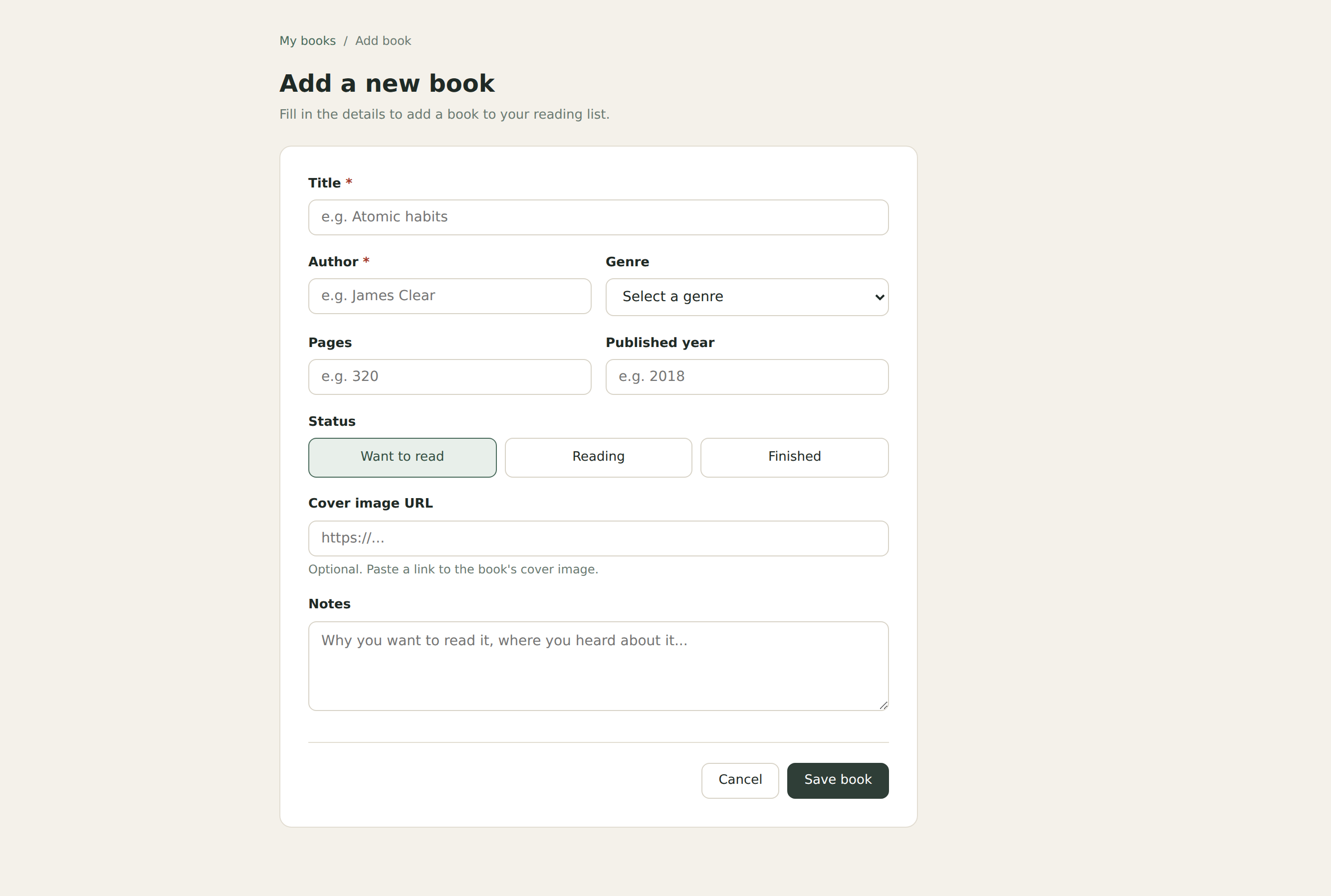
Purpose
- Allow users to create a new book entry
Key Elements
- Input fields for book details
- Status selection
- Optional cover image URL
- Notes textarea
Actions
- Save book
- Cancel
4. Edit Book Page
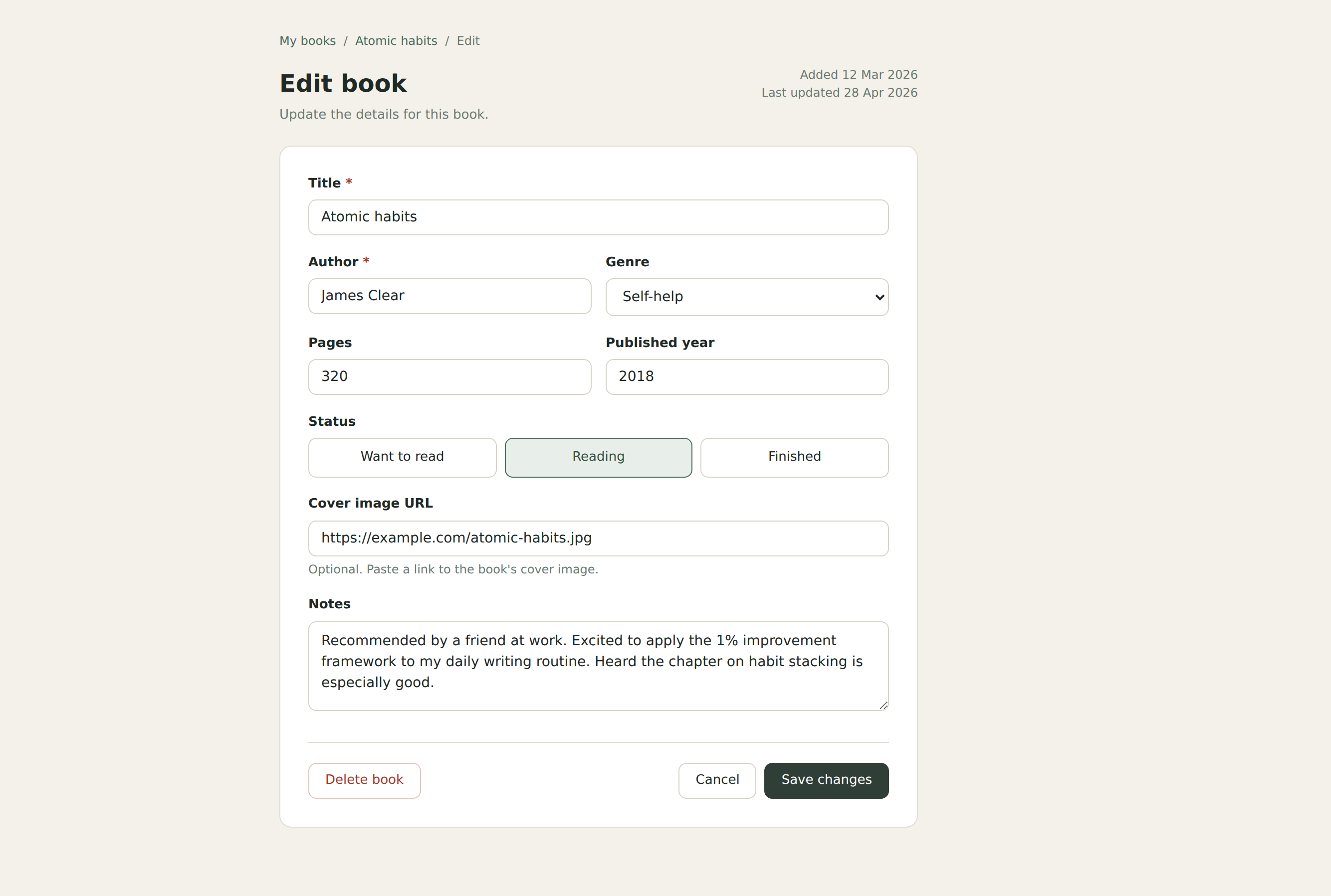
Purpose
- Update an existing book
Key Elements
- Same form layout as Add page
- Fields are pre-filled with existing data
- Breadcrumb navigation
- Metadata (created and updated dates)
Actions
- Save changes
- Delete book
- Cancel
Application Flow
Book List → View Book → Edit Book → Back to List
Book List → Add Book → Back to List
Book List → Delete Book → Back to List
This flow shows how users move through the application.
Data Structure (Preview)
Each book will store the following data:
- title
- author
- genre
- pages
- published year
- status (want to read, reading, finished)
- cover image URL
- notes
You will implement this using a database in the next lesson.
Why We Designed First
Understanding the interface first helps you:
- See how everything connects
- Avoid confusion when coding
- Focus on logic instead of guessing
Outcome
By the end of this lesson, you should:
- Understand all pages in the application
- Know how users interact with it
- Be ready to implement it using Flask and a database
In the next lesson, you will build this application step by step.