
Databases and Persistence
20 min read
Using SQLAlchemy
Using SQLAlchemy
So far, you used raw SQL to work with your database.
Now you will use SQLAlchemy to make this easier and integrate it into your Flask app.
What is SQLAlchemy?
SQLAlchemy lets you work with databases using Python instead of writing SQL manually.
Step 1: Create a New Project Folder
In your terminal:
mkdir flask-db-app
cd flask-db-app
Step 2: Create a Virtual Environment
python -m venv venv
Step 3: Activate the Environment
On macOS/Linux:
source venv/bin/activate
On Windows:
venv\Scripts\activate
You should now see (venv) in your terminal.
Step 4: Install Required Packages
pip install flask flask-sqlalchemy
Step 5: Create Project Files
Create these files:
touch app.py models.py
Step 6: Setup Flask App
Open app.py:
from flask import Flask
from flask_sqlalchemy import SQLAlchemy

app = Flask(__name__)

app.config["SQLALCHEMY_DATABASE_URI"] = "sqlite:///database.db"
app.config["SQLALCHEMY_TRACK_MODIFICATIONS"] = False

db = SQLAlchemy(app)

@app.route("/")
def home():
    return "App is running"

if __name__ == "__main__":
    app.run(debug=True)
Step 7: Create a Model
Open models.py:
from app import db

class User(db.Model):
    id = db.Column(db.Integer, primary_key=True)
    name = db.Column(db.String(100))
Step 8: Create the Database
Open Python shell:
python
Then run:
from app import db
from models import User

db.create_all()
Exit:
exit()
Step 9: Insert Data
Open Python again:
python
from app import db
from models import User

user = User(name="Alice")

db.session.add(user)
db.session.commit()
Step 10: Query Data
users = User.query.all()

for user in users:
    print(user.name)
You should see:
Alice
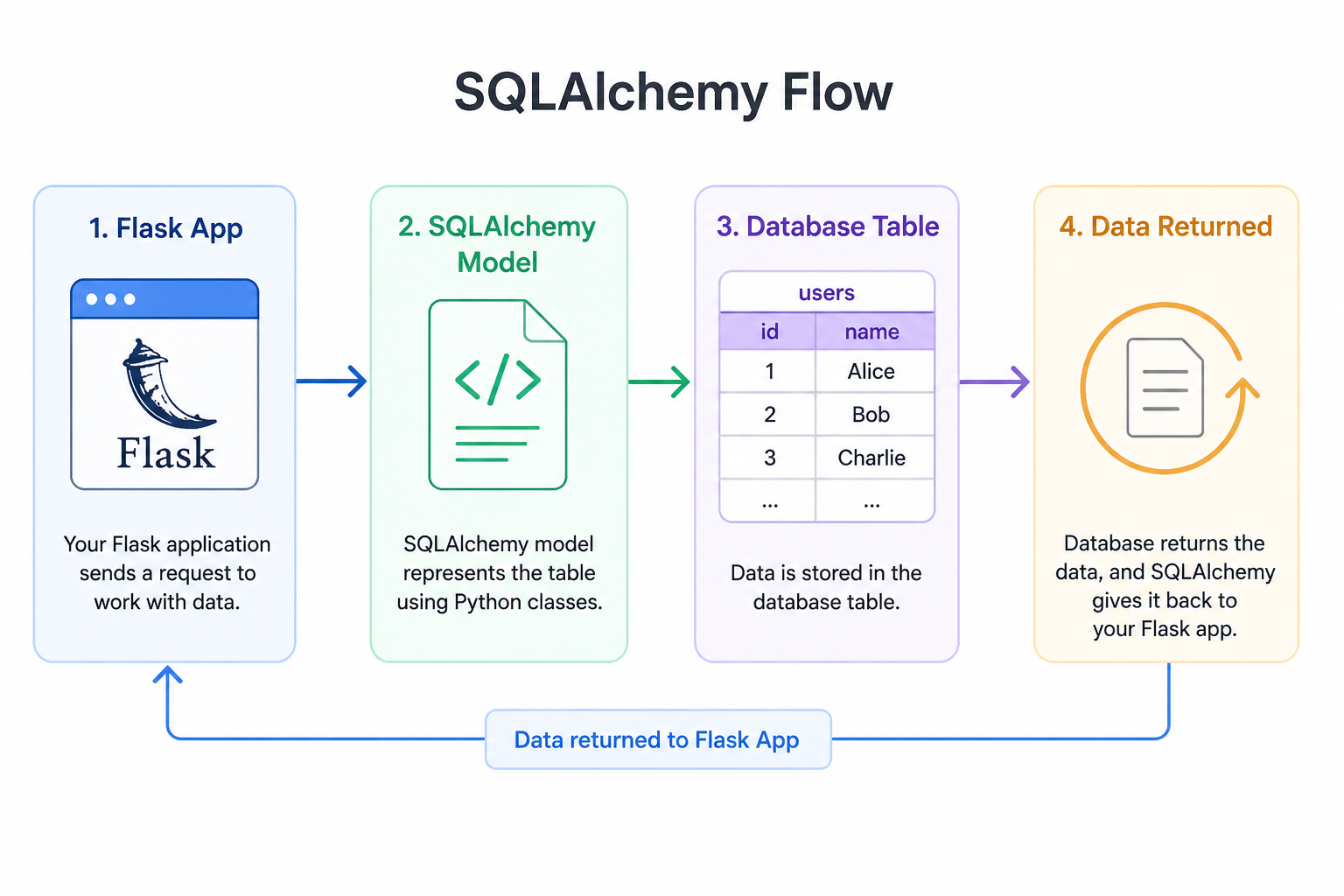
How It Works
- Models represent tables
- Python objects represent rows
- SQLAlchemy handles SQL automatically
Why This Matters
You now:
- Work with Python instead of SQL
- Integrate database into Flask
- Build real applications
Common Mistakes
- ❌ Forgetting to activate virtual environment
- ❌ Not importing models before
create_all() - ❌ Forgetting
commit() - ❌ Running commands outside project folder
Summary
- You created a Flask project
- You set up SQLAlchemy
- You created a model
- You inserted and queried data
In the next lesson, you will build a full application using a database.