
Virtual Environments
Virtual Environments
When building applications, different projects often require different dependencies.
Virtual environments help you isolate these dependencies so projects don’t conflict with each other.
What is a Virtual Environment?
A virtual environment is an isolated space where your project’s dependencies are stored separately.
Instead of installing packages globally, each project has its own environment.
Why Virtual Environments Matter
Without virtual environments:
- Different projects may require different package versions
- Installing packages globally can cause conflicts
- Your system can become messy and hard to manage
With virtual environments:
- Each project is isolated
- Dependencies don’t conflict
- Projects are easier to manage and share
How It Works
A virtual environment creates a separate directory that contains:
- Its own Python interpreter
- Its own installed packages
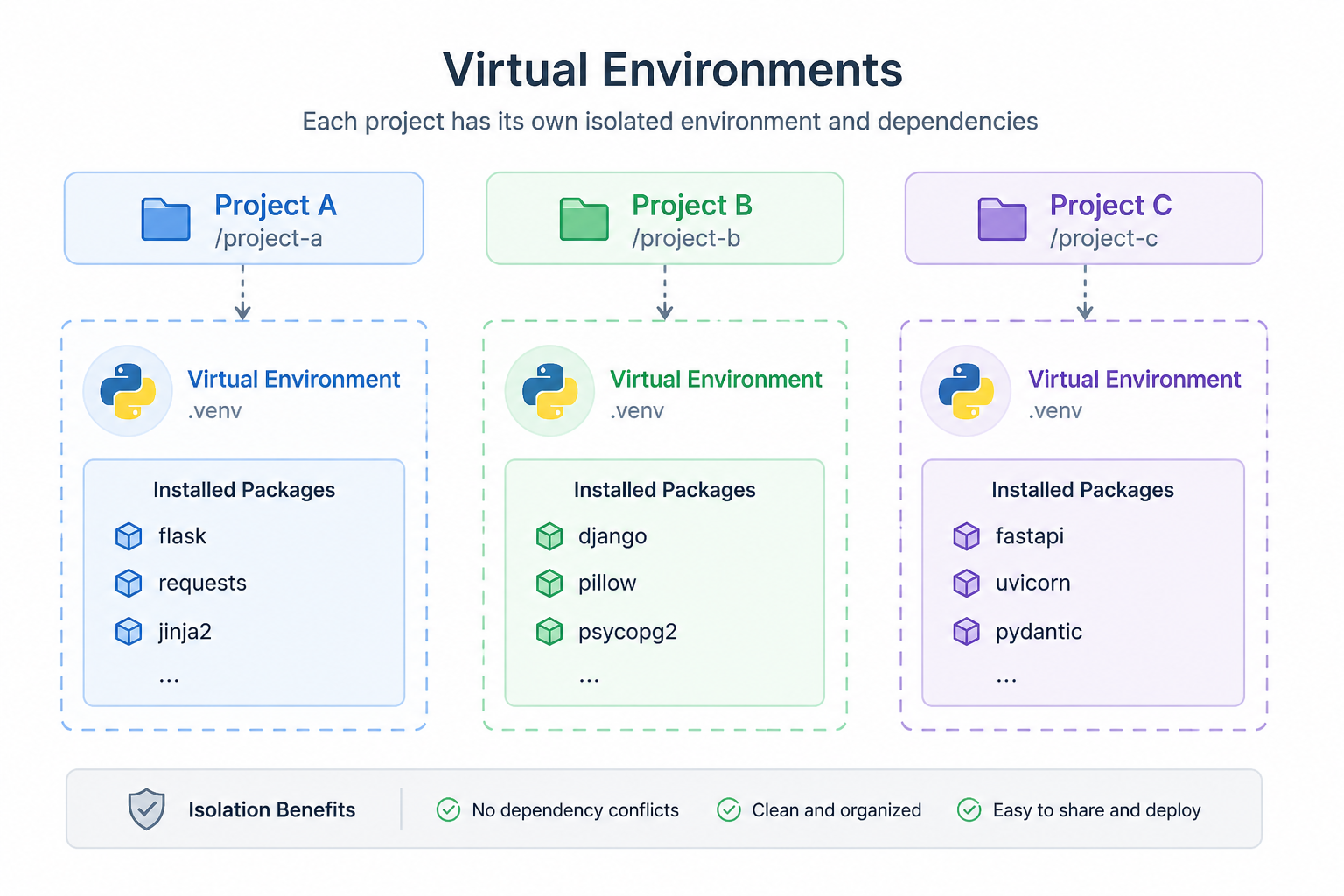
Each project uses its own environment, independent of others.
Creating a Virtual Environment
You can create a virtual environment using Python:
This creates a folder called venv containing the isolated environment.
Activating the Environment
Activate the environment before installing packages.
On macOS/Linux:
On Windows:
Once activated, your terminal will show the environment name.
Installing Packages
After activation, install packages normally:
These packages are installed only inside the environment.
Why This Matters
In this course:
- Flask projects will use isolated environments
- FastAPI apps will have separate dependencies
- Django projects will be clean and reproducible
This is standard practice in professional development.
Summary
- Virtual environments isolate project dependencies
- They prevent conflicts between projects
- Each project should have its own environment
In the next lesson, you’ll learn how to manage packages using pip.