
Templates and Jinja
Templates and Jinja
So far, your Flask app returns plain text.
To build real web applications, you need to return HTML pages.
Templates allow you to separate your logic from your presentation.
What are Templates?
Templates are HTML files that define how your application looks.
Instead of returning plain text, Flask can render HTML using templates.
What is Jinja?
Jinja is the template engine used by Flask.
It allows you to:
- Insert dynamic data into HTML
- Use logic inside templates
- Reuse layout components
Creating a Template
Create a templates/ folder and add a file called index.html:
Rendering a Template
Update your Flask app:
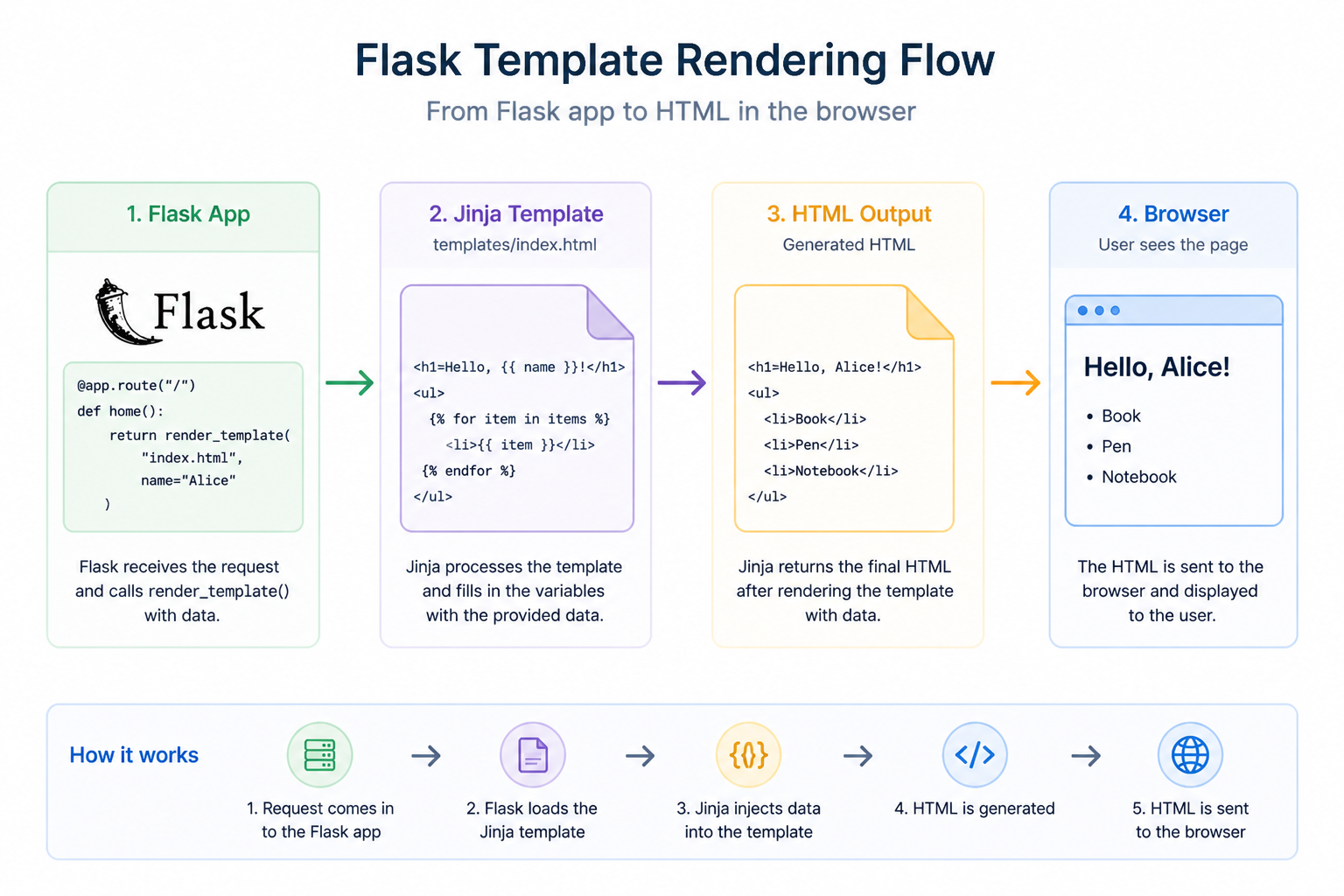
How It Works
- Flask receives the request
- It loads the template
- Jinja injects data into the template
- HTML is returned to the browser
Jinja Syntax
Jinja uses special syntax:
{{ }}→ output variables{% %}→ logic (loops, conditions)
Example:
Why Templates Matter
Templates help you:
- Separate backend logic from frontend
- Build dynamic pages
- Reuse layouts across pages
Challenge
Display dynamic data in a template.
What to do
-
Create a file
profile.htmlinside thetemplates/folder -
Add HTML with:
- A heading showing a name
- A paragraph showing age
-
Use Jinja syntax
{{ }}to display variables -
In your Flask route:
-
Use
render_template() -
Pass values like:
- name = “Alice”
- age = 25
-
Bonus
Create a list of hobbies and display them using a loop.
What you should see
- The page shows dynamic data from Flask
Summary
- Templates define HTML structure
- Jinja adds dynamic behavior
- Flask renders templates into responses
In the next lesson, you’ll learn how to serve static files like CSS and JavaScript.