
Routing
Routing
Routing is how Flask maps URLs to specific functions in your application.
It determines what happens when a user visits a particular path.
What is Routing?
A route connects a URL to a Python function.
When a request comes in, Flask looks at the URL and decides which function to execute.
Basic Route
A simple route looks like this:
When a user visits /, this function runs.
Multiple Routes
You can define multiple routes:
Each route handles a different URL.
Dynamic Routes
Routes can accept dynamic values:
Example:
/user/John→ Hello, John/user/Alice→ Hello, Alice
Route Methods
Routes can handle different HTTP methods:
This allows your app to respond differently based on the request type.
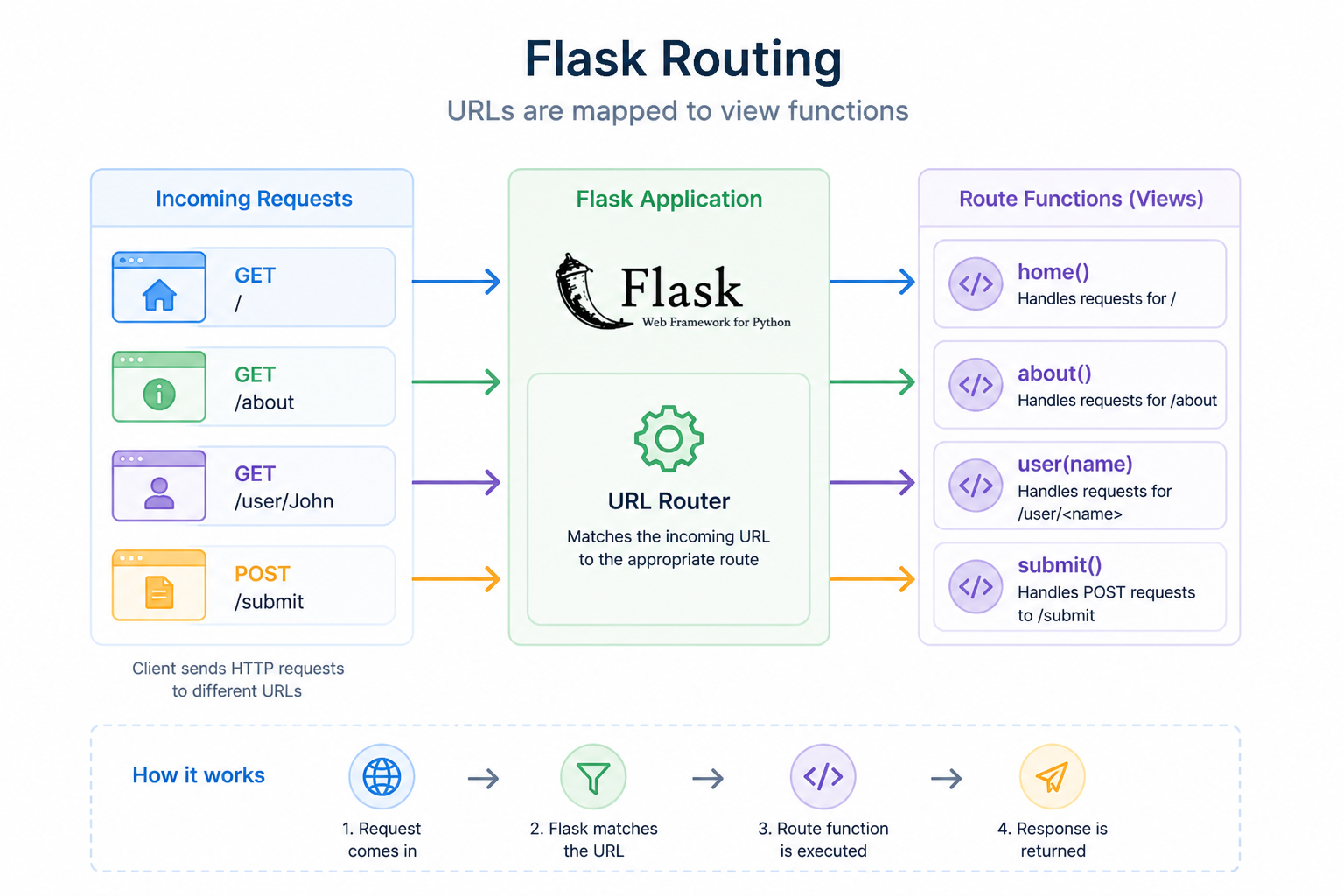
How Routing Works
Flask processes routes in this flow:
- Request comes in
- Flask checks the URL
- Matches it to a route
- Executes the function
- Returns the response
Why Routing Matters
Routing is the backbone of your application.
- It defines how users navigate your app
- It connects URLs to logic
- It enables dynamic behavior
Challenge
Create routes that accept values from the URL.
What to do
-
Create a new route with a variable in the URL:
/user/<name> -
In the function:
- Accept
nameas a parameter - Return a message like: “Hello, John”
- Accept
-
Create another route:
/post/<id> -
Return a message like: “Post ID: 5”
What you should test
/user/Alice→ should display “Hello, Alice”/post/10→ should display “Post ID: 10”
Summary
- Routing maps URLs to functions
- Each route handles a specific path
- Routes can be static or dynamic
- Routes can handle different HTTP methods
In the next lesson, you’ll learn how to render HTML using templates.