
Flask Fundamentals
15 min read
Your First Flask App
Your First Flask App
Now it’s time to build your first web application using Flask.
This will help you connect everything you’ve learned so far.
Installing Flask
Before starting, install Flask in your virtual environment:
pip install flask
Creating Your First App
Create a new file called app.py and add the following:
from flask import Flask
app = Flask(__name__)
@app.route("/")
def home():
return "Hello, World!"
if __name__ == "__main__":
app.run(debug=True)
Understanding the Code
Let’s break it down:
- Flask is imported to create the app
app = Flask(__name__)initializes the application@app.route("/")defines a route- The function returns a response
app.run()starts the server
Running the Application
Run the app using:
python app.py
Then open your browser and go to:
http://127.0.0.1:5000/
You should see:
Hello, World!
How It Works
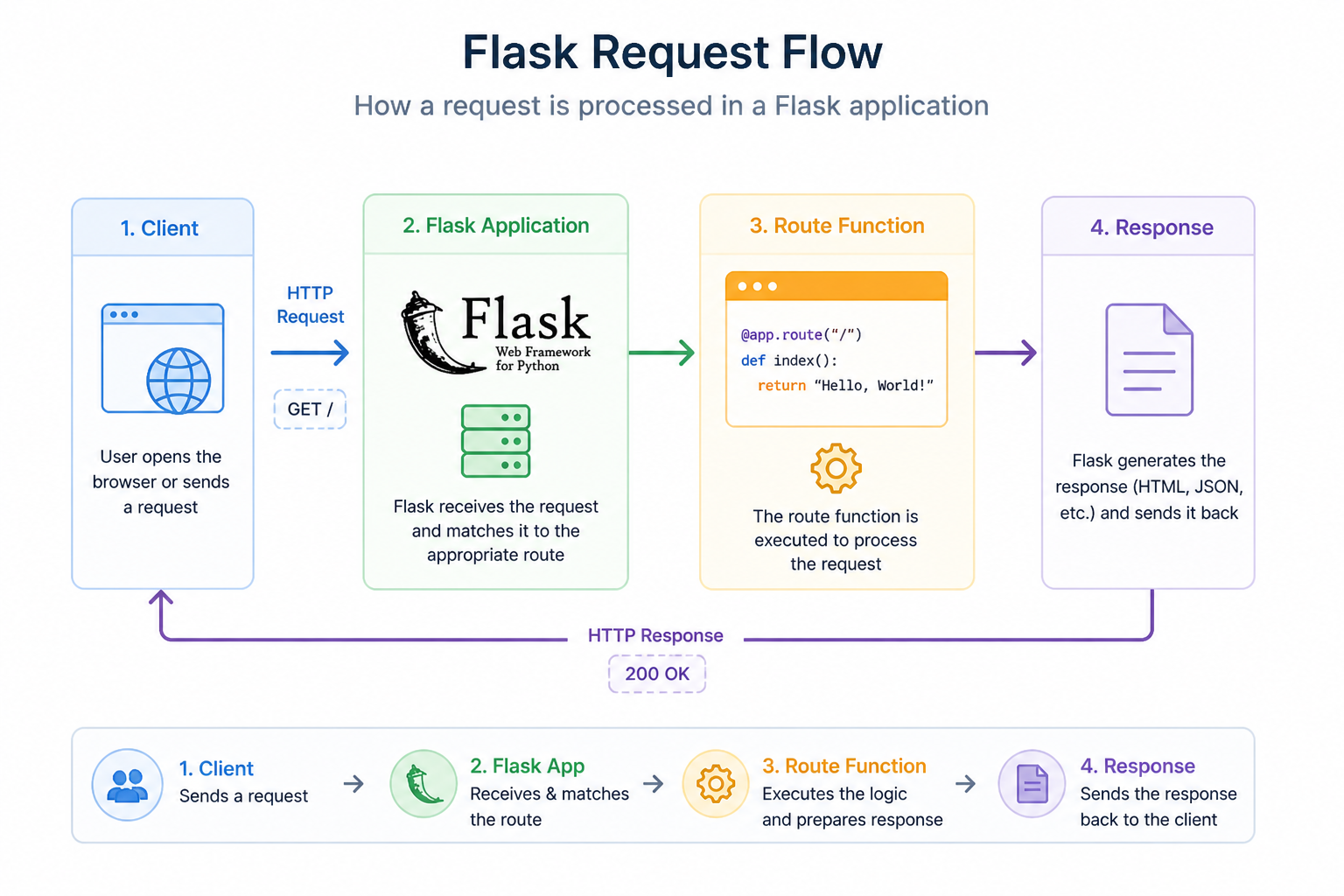
Here’s what happens when you open the page:
- The browser sends a request
- Flask receives the request
- Flask matches the route
- The function runs
- A response is returned
Why This Matters
This simple app demonstrates the core of web development:
- Handling requests
- Defining routes
- Returning responses
Everything you build in Flask expands on this pattern.
Challenge
Add more pages to your Flask app.
What to do
- Open your
app.pyfile - Below your existing route, add a new route for
/hello - Create a function that returns a custom message (example: “Welcome to my app”)
- Add another route
/about - Return a short message about yourself
What you should see
- Visiting
/helloshows your custom message - Visiting
/aboutshows your description
Summary
- You created your first Flask app
- You defined a route
- You returned a response
- You ran a local server
In the next lesson, you’ll learn how routing works in more detail.