
Flask Fundamentals
15 min read
Forms and Requests
Forms and Requests
Web applications become interactive when users can send data to the server.
Forms allow users to submit data, and Flask processes that data through requests.
What are Forms?
Forms are HTML elements used to collect user input.
Example:
<form method="POST">
<input type="text" name="username">
<button type="submit">Submit</button>
</form>
Handling Form Data in Flask
Flask provides a request object to access incoming data.
Example:
from flask import Flask, request
app = Flask(__name__)
@app.route("/submit", methods=["GET", "POST"])
def submit():
if request.method == "POST":
username = request.form.get("username")
return f"Hello, {username}"
return "Submit a form"
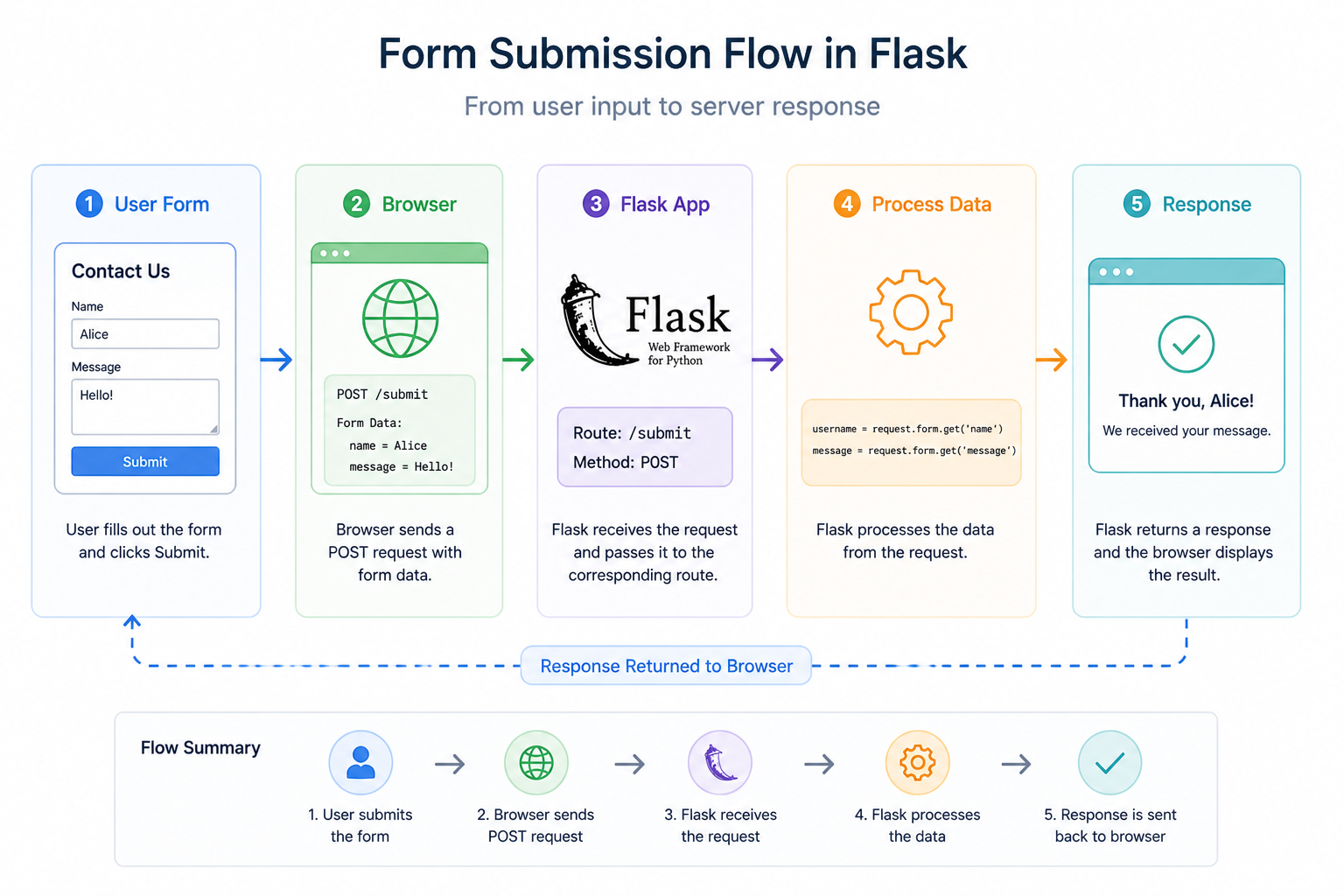
How It Works
- The user fills out a form
- The browser sends a POST request
- Flask receives the request
- Data is extracted from the request
- A response is returned
GET vs POST
Forms can use different HTTP methods.
GET
- Data is sent in the URL
- Used for retrieving data
POST
- Data is sent in the request body
- Used for submitting data
Accessing Form Data
Flask provides different ways to access data:
request.form→ form datarequest.args→ query parametersrequest.json→ JSON data
Why This Matters
Handling user input is essential for:
- Login systems
- Registration forms
- Search functionality
- User interactions
Challenge
Create a form that sends data to your server.
What to do
-
Create an HTML form with:
- A text input for name
- A submit button
-
Set the form method to
POST -
Create a Flask route that handles both GET and POST
-
Inside the route:
- Check if the request method is POST
- Get the name using
request.form.get()
-
Return a message like:
“Hello, John”
What you should test
- Enter a name in the form
- Submit it
- The page should display your name
Summary
- Forms collect user input
- Flask processes form data using the request object
- GET and POST methods handle different types of requests
In the next lesson, you’ll learn how to return JSON responses and build APIs.