
Setting Up Your Development Environment
Setting Up Your Development Environment
Before writing any code, you need a reliable development environment.
This ensures your tools work correctly and your projects run without issues.
What is a Development Environment?
A development environment is the combination of tools you use to write, run, and manage your code.
It typically includes:
- A code editor
- Python installed on your system
- A terminal or command line
- Package management tools
Core Components
To get started, you need a few essential tools.
Python
Python is the programming language used throughout this course.
Make sure Python is installed and accessible from your terminal.
Code Editor
A code editor helps you write and manage your code efficiently.
Popular choices include:
- VS Code
- PyCharm
Terminal
The terminal allows you to run commands, install packages, and manage your environment.
You will use it frequently in this course.
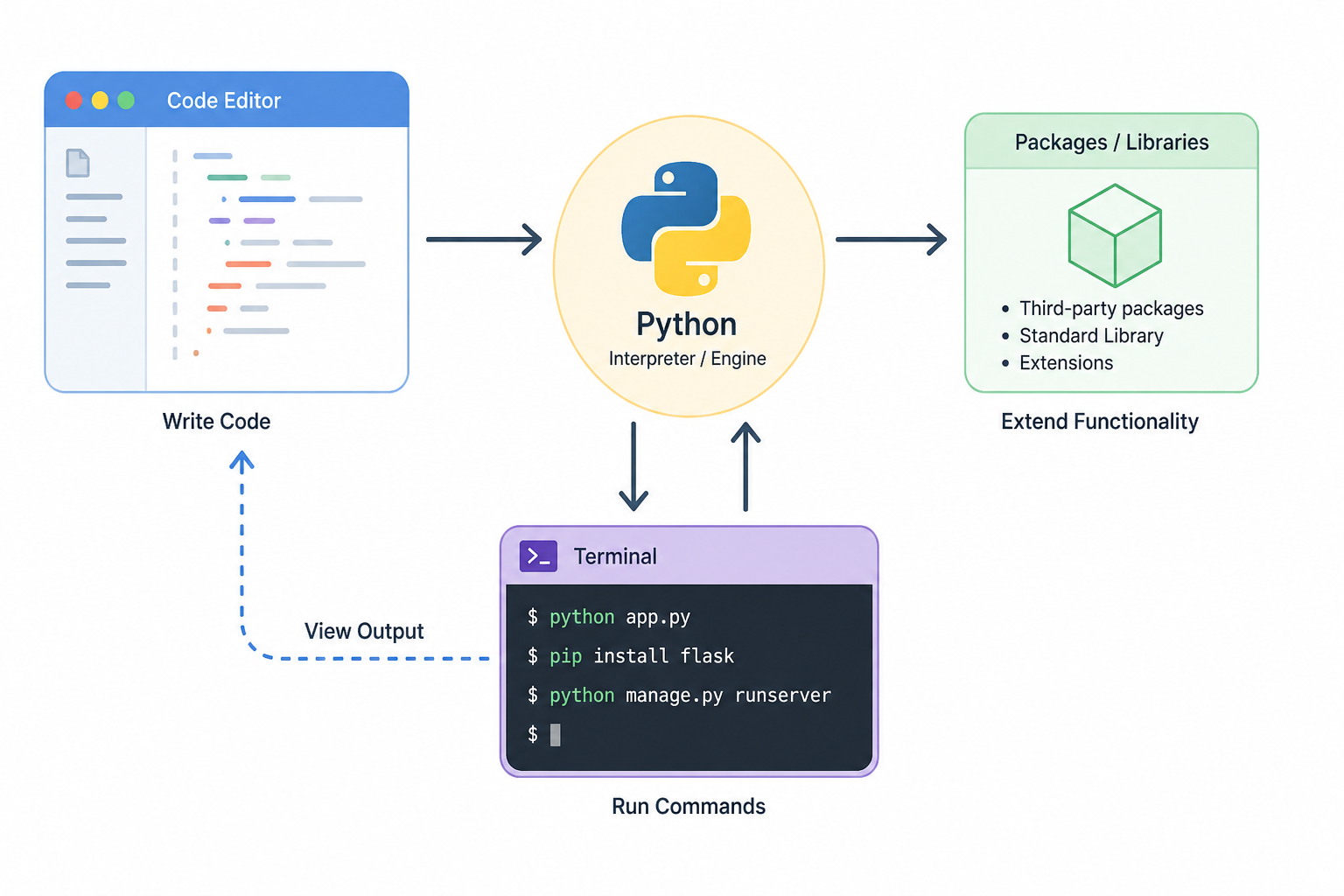
How Everything Fits Together
Your development environment works as a system:
- You write code in your editor
- You run commands in the terminal
- Python executes your code
- Packages extend functionality
Verifying Your Setup
After installing the tools, verify everything works.
Check Python version:
If installed correctly, you should see a version number.
Why This Matters
A correct setup ensures:
- Your code runs consistently
- Dependencies install properly
- Projects behave as expected
This prevents many common beginner issues.
Summary
- A development environment includes tools for coding and execution
- Python, a code editor, and a terminal are essential
- A proper setup prevents errors and improves workflow
In the next lesson, you’ll learn how to isolate projects using virtual environments.