
Flask Fundamentals
10 min read
JSON Responses
JSON Responses
Web applications don’t always return HTML.
Many applications return data in JSON format, especially when building APIs.
What is a JSON Response?
A JSON response is data returned by the server in JSON format.
It is commonly used for communication between frontend and backend systems.
Returning JSON in Flask
Flask makes it easy to return JSON using jsonify.
from flask import Flask, jsonify
app = Flask(__name__)
@app.route("/api")
def api():
return jsonify({
"message": "Hello, World!",
"status": "success"
})
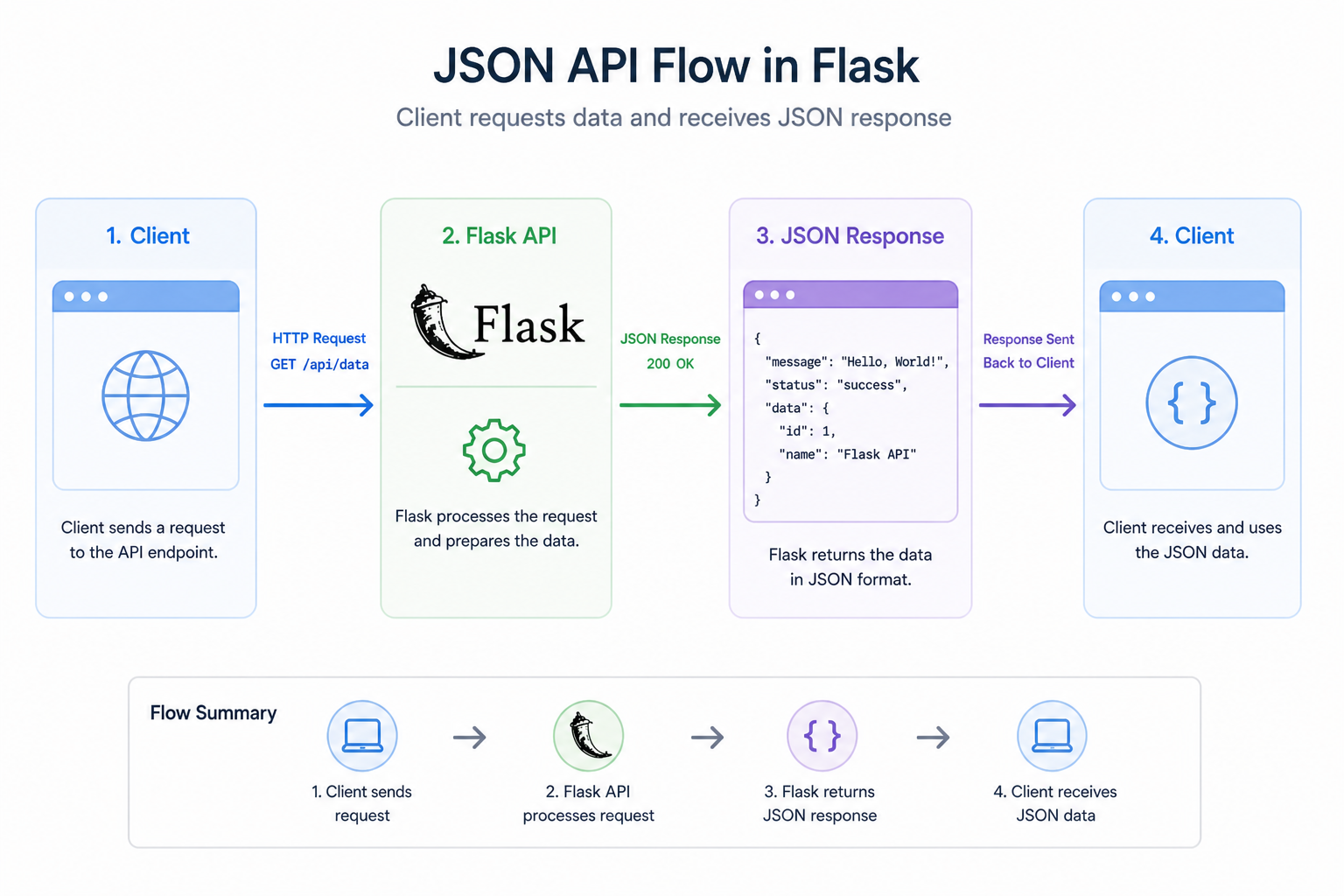
How It Works
- The client sends a request
- Flask processes the request
- Flask returns JSON data
- The client receives and uses the data
Why JSON Matters
JSON is the standard format for APIs.
It allows:
- Frontend apps to communicate with backend servers
- Mobile apps to fetch data
- Systems to exchange structured information
Example Use Cases
JSON responses are used in:
- APIs
- Dashboards
- Single-page applications
- Mobile applications
JSON vs HTML
- HTML → used for rendering pages
- JSON → used for sending data
Modern applications often use both.
Why This Matters
In this course:
- You will build APIs using Flask and FastAPI
- You will send and receive JSON data
- You will connect frontend and backend systems
Challenge
Return JSON data from your app.
What to do
-
Create a new route
/api/user -
Inside the function:
-
Return JSON using
jsonify() -
Include:
- name
- age
- status
-
-
Create another route
/api/products -
Return a list of items like:
- “Book”
- “Phone”
- “Laptop”
What you should test
- Open
/api/userin your browser - You should see JSON data
- Open
/api/productsand see a list
Summary
- JSON responses return structured data
- Flask uses
jsonifyto send JSON - JSON is essential for APIs
In the next lesson, you’ll apply everything you’ve learned in a mini project.